
An app children love — and schools trust
BUMA Kids is where learners spend their lesson time: interactive lessons, coding adventures, typing games and creative tools, in Arabic and English. Children sign in without an e-mail, earn stars and badges, and keep their best work in a portfolio — in a space the school controls.
Easy and safe sign-in
No e-mail and no password to remember: a class code, the child's own picture and a short PIN.
- Class code + picture + PIN
- Pictures children upload are checked before others see them
- Only the child's own class and teacher
- Arabic and English
Learning that feels like play
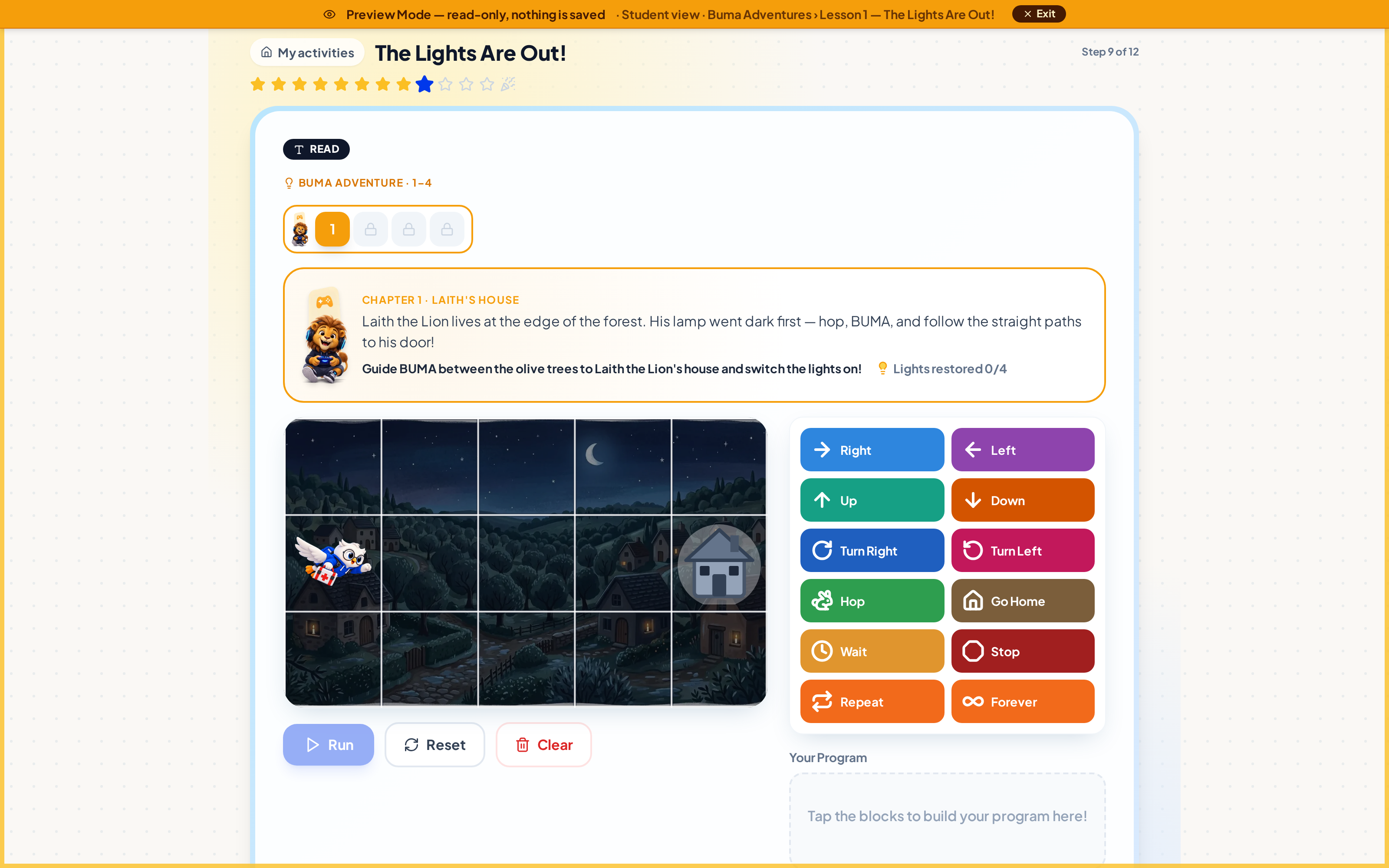
Lessons mix explanation with doing: drag-and-drop quizzes, typing races and story levels solved with coding blocks.
- Drag-and-drop quizzes: sort, order, fill the gap
- Typing lessons and games
- Buma Adventures — coding with blocks
- Python for ages 12+
Create, collect, celebrate
Children make real things and keep them: slides, spreadsheets, pixel art and design-thinking projects, saved in their own folders.
- Slides, spreadsheets and pixel art
- Design-thinking projects
- "My Work" folders and sharing
- Stars, badges, portfolio and the Digital Creator certificate
Questions
Do children need an e-mail address?
No. They sign in with their class code, their picture and a PIN their teacher gives them.
Can parents see their child's work?
Yes. Progress, badges and the portfolio appear in the family app.
Does it work on tablets and the classroom screen?
Yes. It runs in the browser and can be added to the home screen like an app.
More of what BUMA does
Report cards
Issue mid-term, semester and year report cards in Arabic and English with your school's logo, seal and signature — marks or words only, ready to print or send to parents.
Learn moreGradebook & marking
A gradebook built for schools: the school sets the columns, teachers enter marks or build them from their own quizzes, totals per period, and a clear hand-in and review process.
Learn moreSchool timetable
Build the whole school's weekly timetable: bell schedules, every grade and teacher, import your existing Excel timetable, see teacher clashes and print posters in Arabic and English.
Learn moreAttendance
Take attendance per period in seconds: present, absent, late or excused, on any device. Attendance flows into report cards and parents see it in the family app.
Learn more