
The whole school timetable on one screen
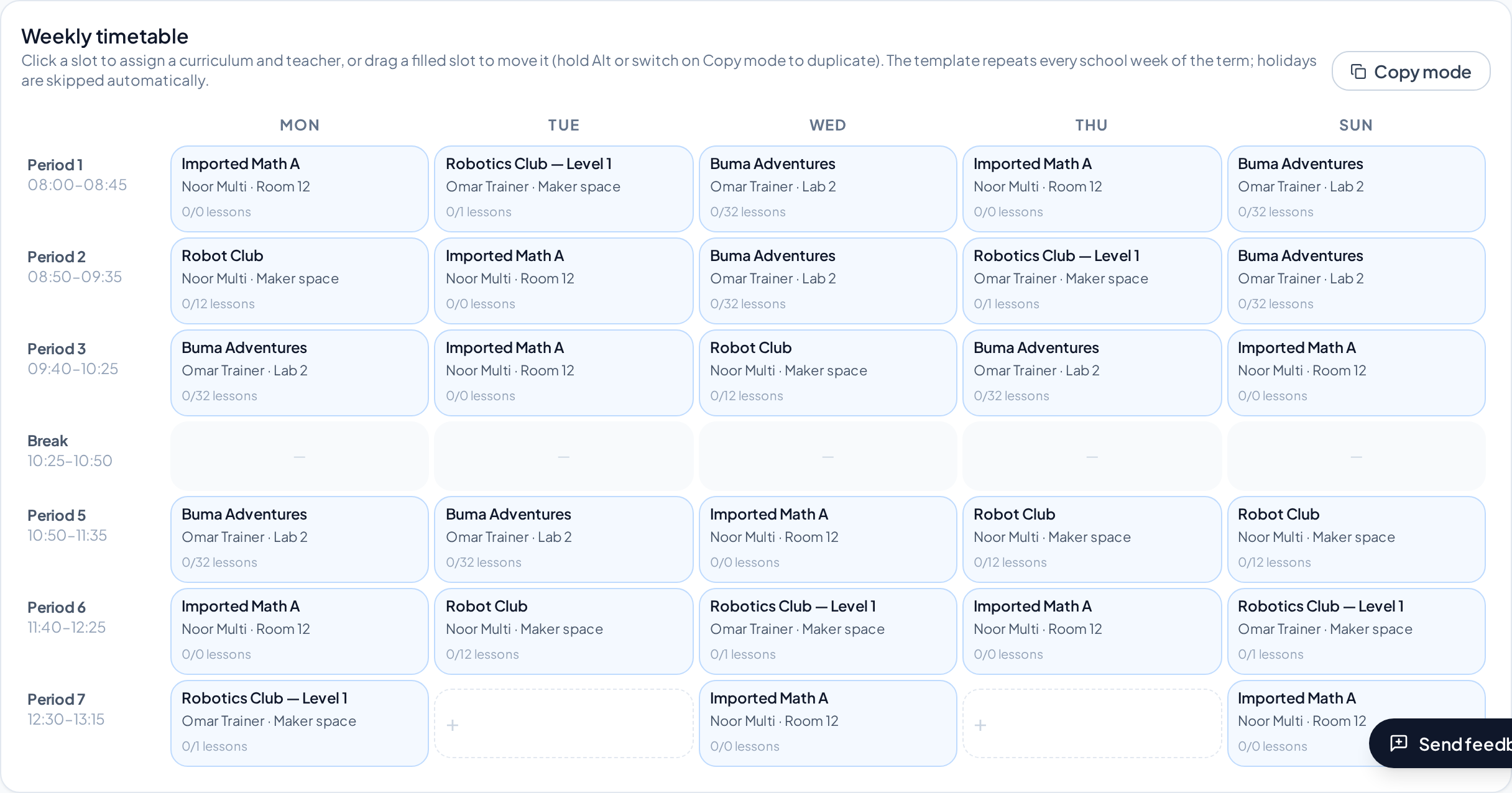
Plan every grade's week with your own bell schedules, assign subjects and teachers by clicking or dragging, and import the timetable you already have in Excel. BUMA shows clashes straight away and gives every teacher their own schedule.
Build or import
Start from scratch, copy a grade, or import your school's Excel timetable — BUMA reads grades, subjects and teachers, even with spelling differences and first names only.
- Bell schedules with breaks
- Drag a lesson to move or copy it
- Excel template with your grades and lessons
- Import only the grades you choose
No surprises
When a teacher is already busy, BUMA asks before double-booking and marks the lesson so you can fix it later.
- Clash counter for the whole school
- Teacher schedules by week, month or semester
- Substitutes and cancelled lessons
- Holidays skipped automatically
Print and share
Print a large poster of the whole school in Arabic or English, or each teacher's own schedule as PDF.
- Posters from A3 to A0
- Teachers' names in Arabic
- Calendar feed for teachers' phones
Questions
Can we import our current Excel timetable?
Yes. Upload the file, tick the grades to import, check the matched names and import. A ready template is also available.
What if a teacher is in two places at once?
BUMA warns you, lets you save anyway if you choose, and marks the lesson in red until it's fixed.
Does it support Saturday-to-Thursday weeks?
Yes. Days and periods come from your own bell schedule.
More of what BUMA does
Report cards
Issue mid-term, semester and year report cards in Arabic and English with your school's logo, seal and signature — marks or words only, ready to print or send to parents.
Learn moreGradebook & marking
A gradebook built for schools: the school sets the columns, teachers enter marks or build them from their own quizzes, totals per period, and a clear hand-in and review process.
Learn moreAttendance
Take attendance per period in seconds: present, absent, late or excused, on any device. Attendance flows into report cards and parents see it in the family app.
Learn moreFamily app
Give every family one login to see all their children: report cards, attendance, timetable, homework, payments and messages from the school, in Arabic and English.
Learn more