
Report cards and certificates, ready in minutes
BUMA turns the marks your teachers enter into finished report cards: mid-term, semester and year-end, in Arabic and English, with your school's logo, official ministry lines, seal and principal's signature. Parents can open them in the family app or receive them by email.
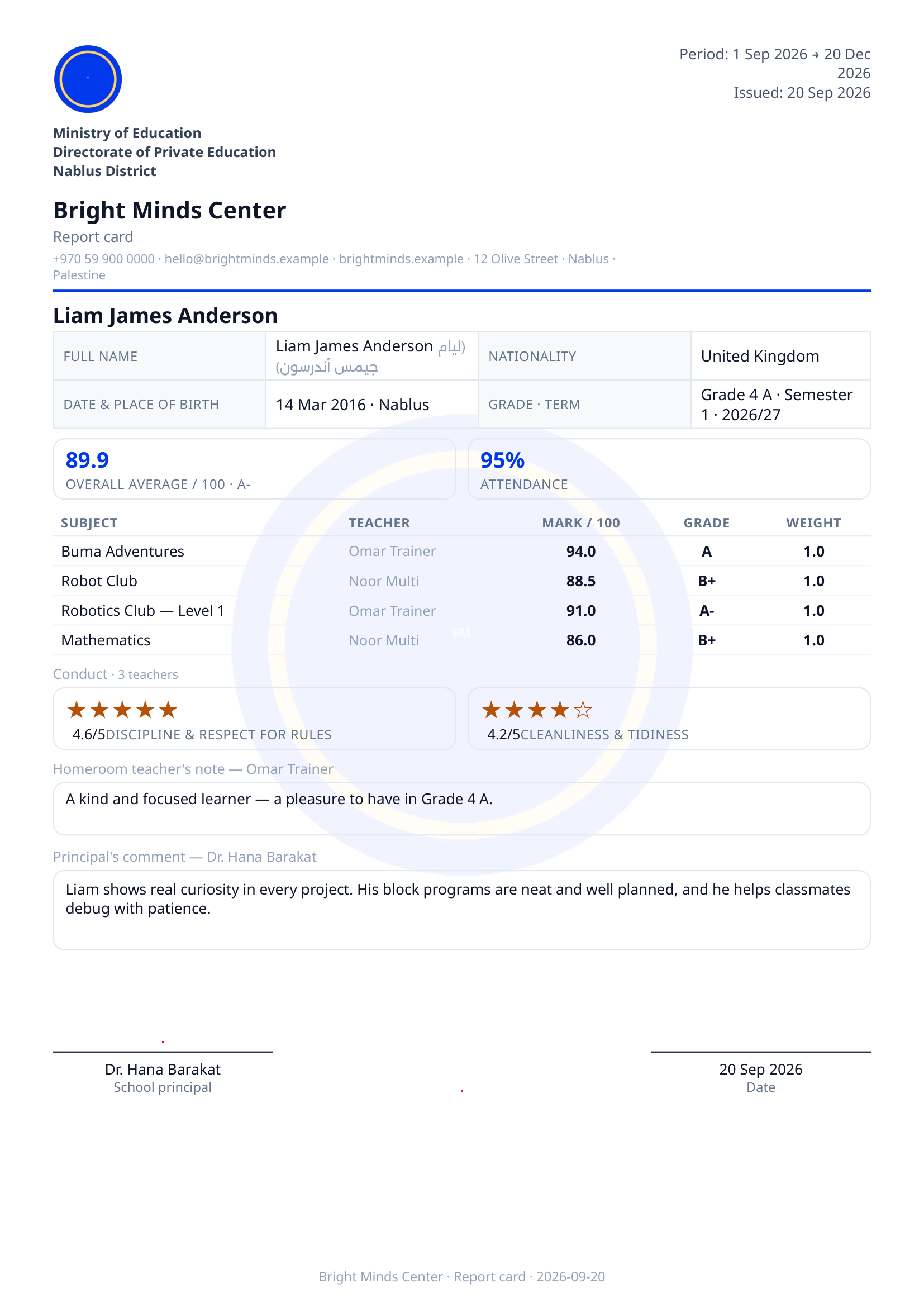
From the gradebook to a finished card
Teachers enter marks once. BUMA calculates each subject, the period totals, the average and the grade band, then builds every learner's card.
- Mid-term, semester and year report cards
- Year result: passed, make-up exam or repeats the year
- Attendance and conduct stars on the card
- Homeroom teacher's note and principal's comment
Your school's design and wording
Choose from five designs and set your colours. Rename any heading, add your ministry and directorate lines, and print the principal's title as you use it.
- Logo, school seal and principal's signature
- Arabic, English or both
- Marks and words, or words only (e.g. for the lower grades)
- Arabic dates and month names as your region uses them
A clear review before anything is issued
Teachers hand in their marks, a review committee checks each grade, and only then does the admin lock and issue. Every step is visible on one page per grade.
- Hand-in and review per half of each semester
- Return marks to a teacher with a note
- Lock, then issue to parents in one click
- Reissue a corrected card at any time
Questions
Can we print report cards without the marks?
Yes. Choose 'words only' for the whole school or for single grades: each subject then shows its band word (Excellent, Very good…) without numbers.
Do the cards follow the Palestinian Ministry format?
BUMA includes the ministry's columns as a starting point (daily exams, mid-term, final), and you can adjust names and marks.
How do parents get the report card?
Issued cards appear in the family app and can be downloaded as PDF or sent by email.
More of what BUMA does
Gradebook & marking
A gradebook built for schools: the school sets the columns, teachers enter marks or build them from their own quizzes, totals per period, and a clear hand-in and review process.
Learn moreSchool timetable
Build the whole school's weekly timetable: bell schedules, every grade and teacher, import your existing Excel timetable, see teacher clashes and print posters in Arabic and English.
Learn moreAttendance
Take attendance per period in seconds: present, absent, late or excused, on any device. Attendance flows into report cards and parents see it in the family app.
Learn moreFamily app
Give every family one login to see all their children: report cards, attendance, timetable, homework, payments and messages from the school, in Arabic and English.
Learn more